JD Image-studio
Design
What I worked on: rethinking how image quality
gets handled on the food category, and helping
build a practical AI tool to support it.
View Prototype
Read Full Case
01
UX Designer
Owned IA, interaction,
and UI
02
3 Weeks
Sep · 2025
03
Platform Scale
Tens of millions of
items, daily
04
AI · Vision ·
Imaging
AIGC workflow
BACKGROUND · 01
Image quality was quietly
eroding user trust.
During product browsing, image quality issues
persistently undermine user experience and
purchase decisions. NPS feedback points to
specific visual failures — from incomplete subjects
to underexposed lighting — each quietly eroding
user trust in the platform.

01
Low resolution
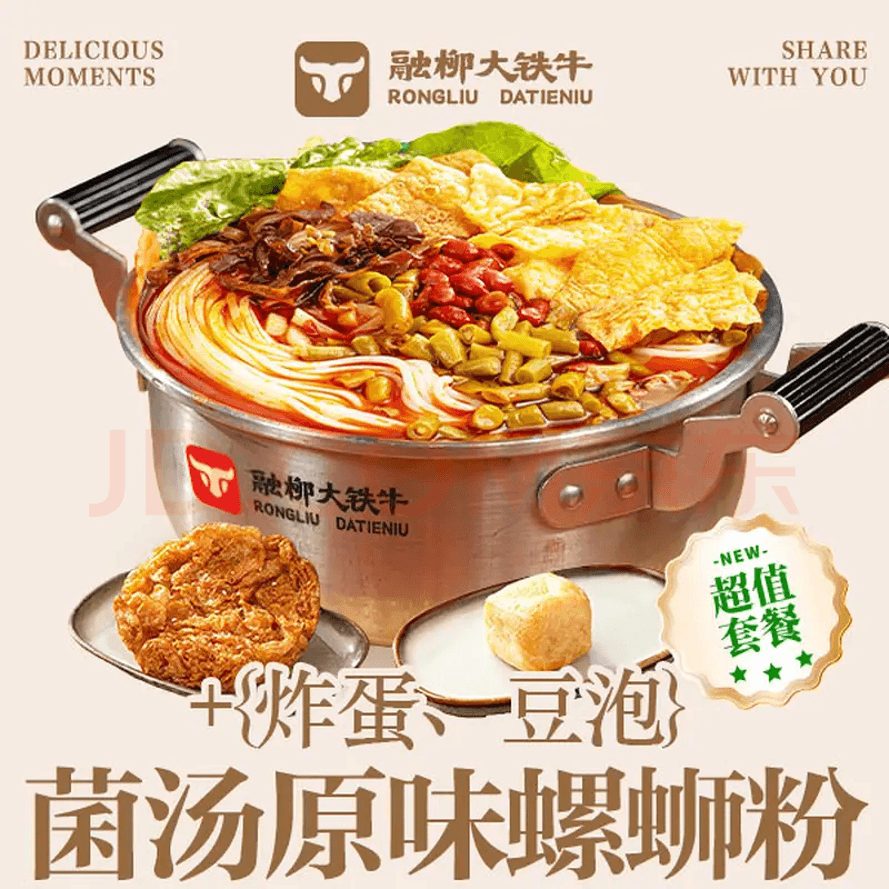
01
Watermark Interference
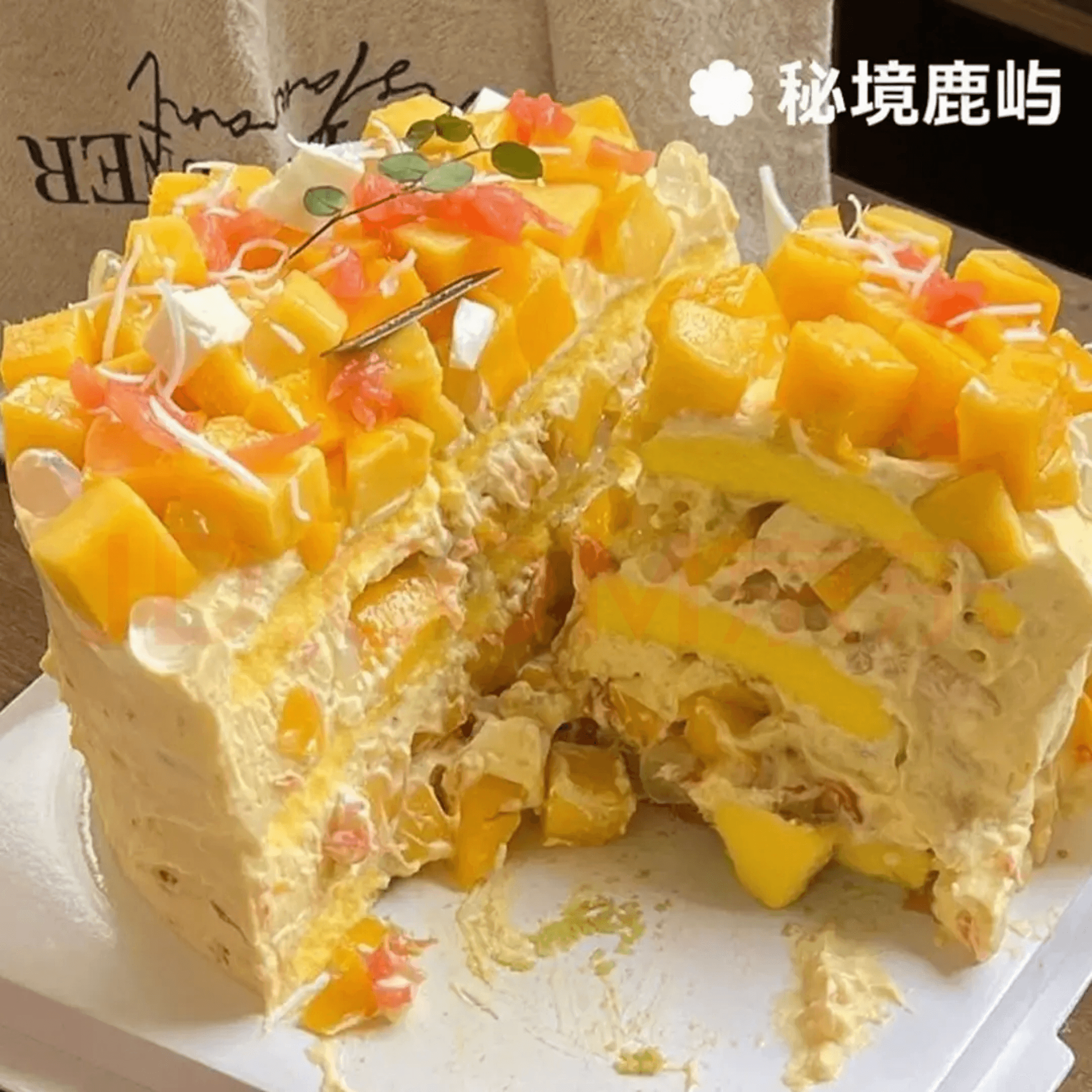
01
Misleading angle
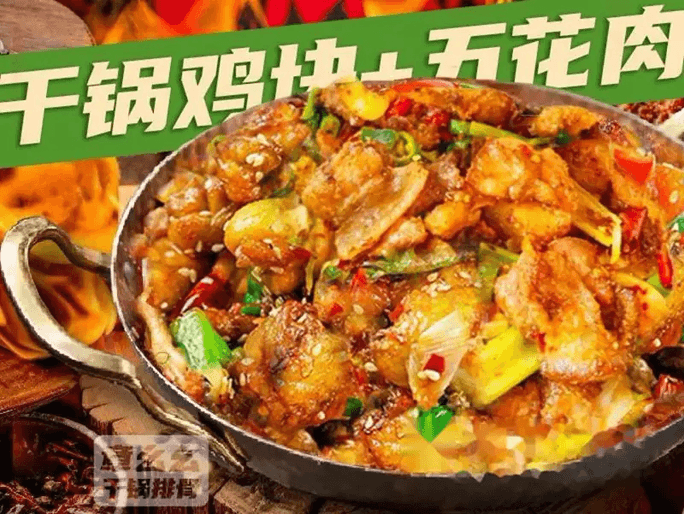
01
Cluttered background
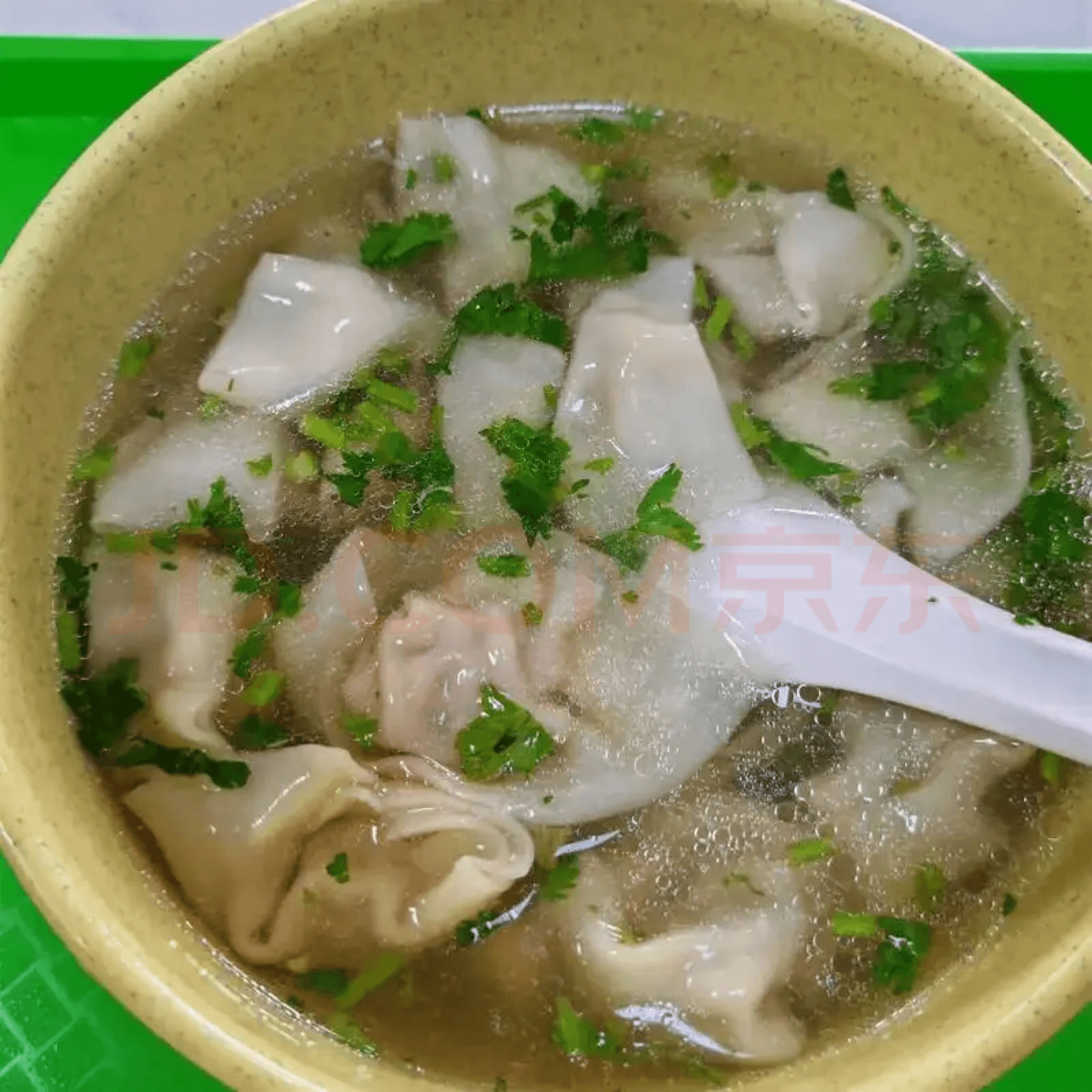
01
Poor lighting
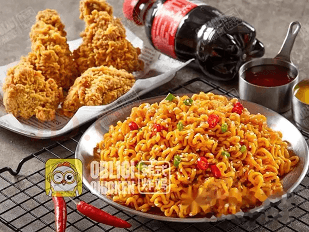
01
Incomplete subjects
01
Incomplete subjects
Cropped frames and partial product shots — not
quite enough on screen for someone to know
what they're looking at.
02
Poor lighting
Underexposed, harsh shadows.
03
Cluttered background
Background clutter pulls attention away from the
product.
04
Misleading angle
Odd angles or distorted scale — the product
looks different from what users expect.
05
Watermark Interference
Watermarks crowd or obscure the product,
especially on small thumbnails.
06
Low resolution
Heavily compressed thumbnails lose detail right
where users actually look.
SYSTEM ANALYSIS · 02
A platform-level
governance problem.
● PLATFORM
Platform
The platform must consistently ensure
image quality at scale.
● MERCHANT
Merchant
Merchants lack editing capabilities yet
bear full responsibility for image output
quality.
● USER
User
Users form judgments in milliseconds.
↓
Platform sets standards
↓
Merchants produce
↓
Users respond
WHY TRADITIONAL APPROACHES FAILED ·
03
Detection ≠ Resolution.
For years, governance relied on two independent
capabilities — merchants editing in Photoshop
within their own workflows, and the platform
expanding automated detection rules to surface
issues via sampling. The two operated in isolation;
the governance loop never truly closed.
● INSIGHT
Pointing at problems is not the
same as solving them.
Better detection → more problems
surfaced → harder for merchants to
handle → worse user experience.
01
DETECT · Rule Detection
Scans listings and flags violations
against defined rules
Automated rules cover a wide range of visual
issues — from underexposure to incomplete
subjects.
↓
02
NOTIFY · Merchant Notification
Issues a problem list with
recommendations
The platform tells merchants what is wrong —
but the capacity to fix it does not lie with the
platform.
↓
03
WAIT · Awaiting Fixes
Relies on merchants to manually edit
in Photoshop
With merchants lacking both tools and time, the
governance pipeline stalls.
OLD THINKING
Detect bad images, ask merchants
to fix them.
NEW THINKING
Use AI to produce optimized
images directly — at platform
scale.
— TURNING POINT
"Rather than asking merchants to
learn editing, let AI lower the cost of
production directly."
PLATFORM CONSTRUCTION · 05
Generate the image
directly.
Based on this idea, I designed and built a prototype
AI image optimization platform. All complex image-
processing logic is encapsulated within the system,
with structured prompts and data-flow controls
ensuring predictable output.
01
Single Edit
One-click cutout, subject completion, and
lighting optimization on individual images.
02 · POPULAR
Batch Edit
Process dozens of images simultaneously while
preserving visual consistency.
03
Template Composition
Auto-apply platform-standard templates with
consistent visual structure.
PROTOTYPE · LIVE PREVIEW
Upload, choose, click —
done.
Merchants need no editing skills — they receive
style-consistent output directly.
CORE CAPABILITIES · 6 modules
01
One-click
cutout
Automatically
identifies
subject
boundaries.
02
Subject
completion
Intelligently
fills in missing
structural
detail.
03
Background
composition
Generates
stylized scene
environments.
04
Lighting
optimization
Reconstructs
natural lighting
quality.
05
Perspective
correction
Corrects
viewing angle
and lens
distortion.
06
Template
synthesis
Applies
platform-
standard
templates.
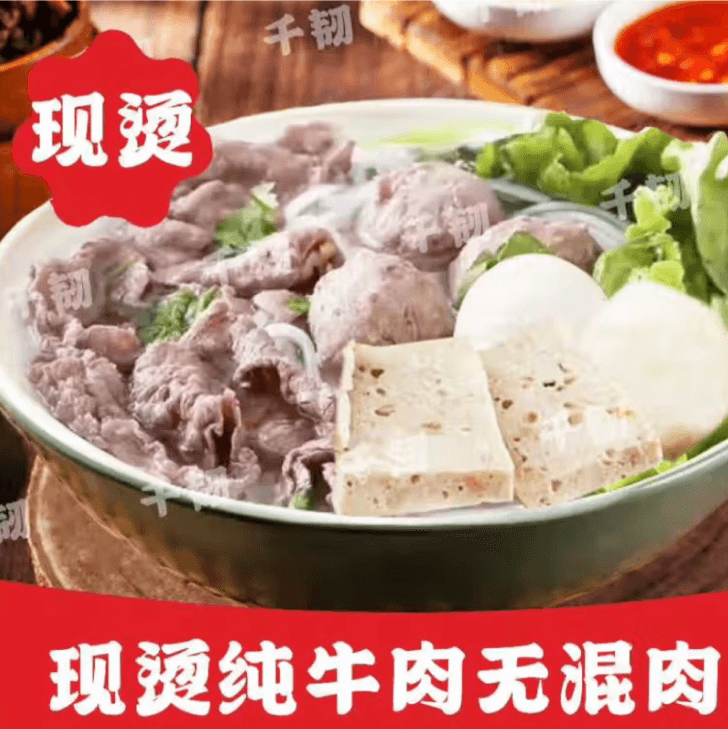
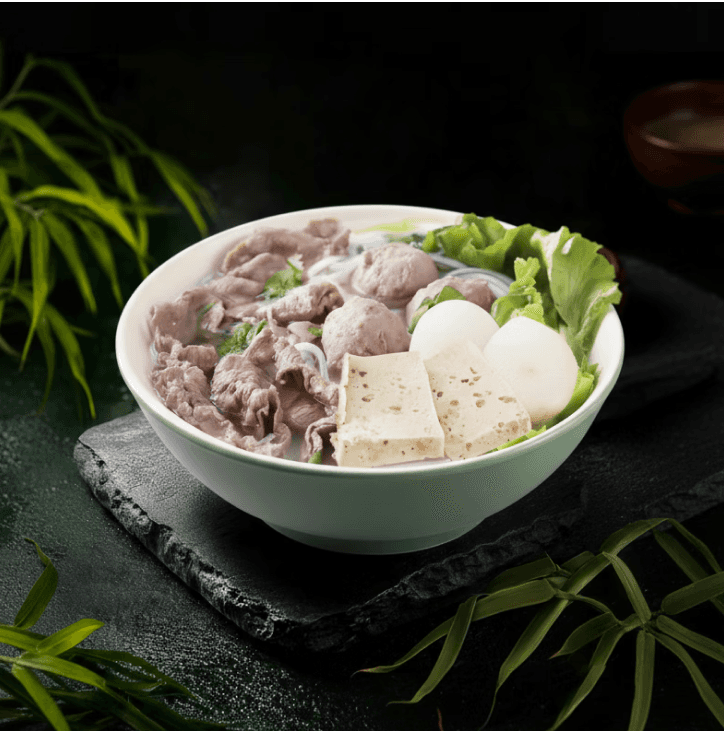
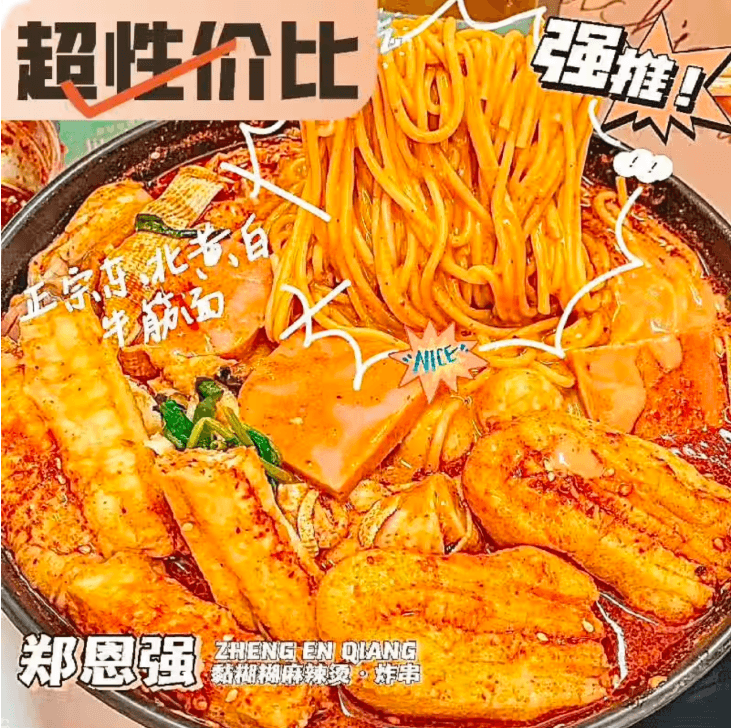
PLATFORM CONSTRUCTION · 05
Generate the image
directly.
Based on this idea, I designed and built a prototype
AI image optimization platform. All complex image-
processing logic is encapsulated within the system,
with structured prompts and data-flow controls
ensuring predictable output.
01
Single Edit
One-click cutout, subject completion, and
lighting optimization on individual images.
02 · POPULAR
Batch Edit
Process dozens of images simultaneously while
preserving visual consistency.
03
Template Composition
Auto-apply platform-standard templates with
consistent visual structure.
PROTOTYPE · LIVE PREVIEW
Upload, choose, click —
done.
Merchants need no editing skills — they receive
style-consistent output directly.
CORE CAPABILITIES · 6 modules
01
One-click
cutout
Automatically
identifies
subject
boundaries.
02
Subject
completion
Intelligently
fills in missing
structural
detail.
03
Background
composition
Generates
stylized scene
environments.
04
Lighting
optimization
Reconstructs
natural lighting
quality.
05
Perspective
correction
Corrects
viewing angle
and lens
distortion.
06
Template
synthesis
Applies
platform-
standard
templates.
PLATFORM CONSTRUCTION · 05
Generate the image
directly.
Based on this idea, I designed and built a prototype
AI image optimization platform. All complex image-
processing logic is encapsulated within the system,
with structured prompts and data-flow controls
ensuring predictable output.
01
Single Edit
One-click cutout, subject completion, and
lighting optimization on individual images.
02 · POPULAR
Batch Edit
Process dozens of images simultaneously while
preserving visual consistency.
03
Template Composition
Auto-apply platform-standard templates with
consistent visual structure.
PROTOTYPE · LIVE PREVIEW
Upload, choose, click —
done.
Merchants need no editing skills — they receive
style-consistent output directly.
CORE CAPABILITIES · 6 modules
01
One-click
cutout
Automatically
identifies
subject
boundaries.
02
Subject
completion
Intelligently
fills in missing
structural
detail.
03
Background
composition
Generates
stylized scene
environments.
04
Lighting
optimization
Reconstructs
natural lighting
quality.
05
Perspective
correction
Corrects
viewing angle
and lens
distortion.
06
Template
synthesis
Applies
platform-
standard
templates.
01
One-click
cutout
Automatically
identifies
subject
boundaries.
02
Subject
completion
Intelligently
fills in missing
structural
detail.
03
Background
composition
Generates
stylized scene
environments.
04
Lighting
optimization
Reconstructs
natural lighting
quality.
05
Perspective
correction
Corrects
viewing angle
and lens
distortion.
06
Template
synthesis
Applies
platform-
standard
templates.
PROMPT AS A SYSTEM · 07
Prompt is not a
sentence — it's a
system.
Single-image optimization worked well, but batch
generation often produced inconsistent visual
styles. AI has generative capability — but stability
requires deliberate human control. I systematically
deconstructed the prompt structure and realized
that the prompt itself could be a form of systems
design.
● THE PROMPT FORMULA
6 components
Subject
SUBJECT
Style
STYLE
Material
MATERIAL
Lighting
LIGHTING
Composition
COMPOSITION
Lens
LENS
A photographic vocabulary, restructured as
machine-readable rules.
APPLIED PHOTOGRAPHIC RULES · 3
examples
R1
Background blur without halos
When blurring backgrounds, avoid halos and
preserve realistic edges around the subject.
R2
Subject separation with translucent
edges
When separating subjects, retain semi-
transparent edges to avoid the plastic look of
hard cuts.
R3
Unify color temp at 4500–5000K
During template composition, unify color
temperature and add contact shadows to bring
generated results closer to real photography.
VISUAL PRODUCTION PIPELINE
A standardized visual production
system.
01 / INPUT LAYER
Prompt System
Structured templates govern visual style, color
temperature, and composition.
↓
02 / SERVICE LAYER
Backend API
Gemini 2.5 Flash Image model + data-flow
control, abstracting underlying complexity.
↓
03 / SURFACE LAYER
Product UI
A product interface operable directly by
merchants and designers.
IMPACT · 08 · ~6 MONTHS
From visual problem to
trust system.
After roughly six months of iteration, the system
began delivering measurable results inside the
platform. NPS scores on product listings improved
significantly, high-quality image coverage
increased, and the system became the foundation
for a new merchant photography guideline
program.
NPS UPLIFT
NPS ↑
NPS scores related to product listings improved
significantly. Negative user feedback about
image credibility dropped noticeably.
QUALITY COVERAGE
46M+
The platform accumulated approximately 46
million new high-quality product images,
significantly increasing coverage across
categories.
GUIDELINE FRAMEWORK
NEW
Established a merchant-facing dish
photography guideline framework to help
merchants align with platform image standards.
REFLECTION · BEYOND METRICS
❝
We didn't just lift a number
— we converted a visual
symptom into a structural
trust mechanism.
Image quality is no longer just a visual
issue — it has become a structural
component of platform trust.
SCALING THE IMPACT · 09 · FORTHCOMING
The same prompt
structure, applied beyond
food.
Building on this structured Prompt methodology, I
explored extending it to other visual asset
production contexts. In icon design, uploading
sample icons lets the system batch-generate a
unified icon style.
INPUT
Sample icons
Upload 3–5 reference icons as style input.
↓
PROMPT SYSTEM
Style parameters
Adjustable parameters: stroke weight, corner
radius, fill, and visual weight.
↓
OUTPUT
Unified icon set
Batch-generate a visually consistent icon set.
REFLECTION · 10 · DESIGNER IN THE AI
ERA
Am I still a
designer?
In this project, I barely designed a single image
by hand. What I actually did was continuously
test prompts, understand model behavior, and
build a system through code and interface
design.
But looking back at the process, I realized: I
wasn't generating images — I was designing a
visual production system. I wasn't wiring nodes
— I was encapsulating capability.
A NEW DEFINITION · 10.B
Designers are not just
interface creators — but
translators of complex
technical capability.
We understand technology, understand users,
understand the business — and synthesize those
capabilities into system experiences that can be
adopted at scale.
01
Translator
Translate complex model logic into usable
product tools
02
Encapsulator
Package capabilities into reusable, modular
system components
03
System Author
Understand technology, users, and business to
architect system-level experiences
JD Image-studio
Design
More projects

CASE STUDY
2025
JD Image-studio Design
What I worked on: rethinking how image quality gets handled on the food category,
and helping build a practical AI tool to support it.
View Live Demo →
Read Deck
01
Role:
UX Designer
02
Timeline:
2025.07-2025.09
01
Platform:
JD Instant Retail
01
Tool:
Google AI Studio · Gemini · Claude
BACKGROUND · 01
Image quality was quietly
eroding user trust.
During product browsing, image quality issues persistently undermine user experience and purchase decisions. NPS
feedback points to specific visual failures — from incomplete subjects to underexposed lighting — each quietly eroding
user trust in the platform.
01
Incomplete subjects
04
Misleading angle
02
Poor lighting
05
Watermark Interference
03
Cluttered background
06
Low resolution
SYSTEM ANALYSIS · 02
A platform-level governance
problem.
● PLATFORM
Platform
The platform must consistently ensure
image quality at scale.
● MERCHANT
Merchant
Merchants lack editing capabilities yet
bear full responsibility for image output
quality.
● USER
User
Users form judgments in milliseconds.
Platform sets standards
→
Merchants produce
→
Users respond
PLATFORM → MERCHANT → USER
WHY TRADITIONAL APPROACHES FAILED · 03
Detection ≠ Resolution.
Image governance had long depended on disconnected workflows: merchants edited images manually, while the platform detected issues through automated sampling. Without integration, the loop never fully closed.
Pointing at problems is not the same as solving them.
Better detection → more problems surfaced → harder for merchants to handle → worse user experience.
● INSIGHT
01
DETECT · Rule Detection
Scans listings and flags
violations against defined
rules
Automated rules cover a wide range of
visual issues — from underexposure to
incomplete subjects.
→
02
NOTIFY · Merchant Notification
Issues a problem list with
recommendations
The platform tells merchants what is
wrong — but the capacity to fix it does
not lie with the platform.
→
03
WAIT · Awaiting Fixes
Relies on merchants to
manually edit in Photoshop
With merchants lacking both tools and
time, the governance pipeline stalls.
OLD THINKING
Detect bad images, ask merchants to fix
them.
→
NEW THINKING
Use AI to produce optimized images directly
— at platform scale.
— TURNING POINT
"Rather than asking merchants to learn editing,
let AI lower the cost of production directly."
PLATFORM CONSTRUCTION · 05
Generate the
image directly.
Based on this idea, I designed and built a prototype AI
image optimization platform. All complex image-processing logic is encapsulated within the system, with structured prompts and data-flow controls ensuring predictable output.
01
Single Edit
One-click cutout, subject completion, and
lighting optimization on individual images.
02 · POPULAR
Batch Edit
Process dozens of images simultaneously
while preserving visual consistency.
03
Template Composition
Auto-apply platform-standard templates
with consistent visual structure.
CORE CAPABILITIES · 6 modules
01
One-click cutout
Automatically identifies subject boundaries.
02
Subject completion
Intelligently fills in missing structural detail.
03
Background composition
Generates stylized scene environments.
04
Lighting optimization
Reconstructs natural lighting quality.
05
Perspective correction
Corrects viewing angle and lens distortion.
06
Template synthesis
Applies platform-standard composition
templates.
PROMPT AS A SYSTEM · 07
Prompt is not a sentence
it's a system.
● THE PROMPT FORMULA
6 components · photographic vocabulary
Subject
+
Style
+
Material
+
Lighting
+
Composition
+
Lens
A photographic vocabulary, restructured as machine-readable rules.
APPLIED PHOTOGRAPHIC RULES · 3 examples
R1
Background blur without
halos
When blurring backgrounds, avoid halos and
preserve realistic edges around the subject.
R2
Subject separation with
translucent edges
When separating subjects, retain semi-
transparent edges to avoid the plastic look of
hard cuts.
R3
Unify color temp at 4500–
5000K
During template composition, unify color
temperature and add contact shadows to
bring generated results closer to real
photography.
IMPACT · 08 · ~6 MONTHS
From visual problem to trust system
NPS UPLIFT
NPS ↑
NPS scores related to product listings
improved significantly. Negative user
feedback about image credibility dropped
noticeably.
QUALITY COVERAGE
46M+
The platform accumulated approximately
46 million new high-quality product images,
significantly increasing coverage across
categories.
GUIDELINE FRAMEWORK
NEW
Established a merchant-facing dish
photography guideline framework to help
merchants align with platform image
standards.
REFLECTION · BEYOND METRICS
❝
We didn't just lift a number — we converted a visual
symptom into a structural trust mechanism.
Image quality is no longer just a visual issue — it has become a structural component of platform trust.
SCALING THE IMPACT · 09 · FORTHCOMING
The same
prompt
structure,
applied beyond
food.
Building on this structured Prompt methodology, I explored
extending it to other visual asset production contexts. In
icon design, uploading sample icons lets the system batch-
generate a unified icon style.
INPUT
Sample icons
Upload 3–5 reference icons as style
input.
→
PROMPT SYSTEM
Style parameters
Adjustable parameters: stroke weight,
corner radius, fill, and visual weight.
→
OUTPUT
Unified icon set
Batch-generate a visually consistent
icon set.
REFLECTION · 10 · DESIGNER IN THE AI ERA
Am I still a designer?
AN INNER QUESTION
10.A
In this project, I barely designed a single image by hand. What I actually did was
continuously test prompts, understand model behavior, and build a system through
code and interface design.
But looking back at the process, I realized: I wasn't generating images — I was
designing a visual production system. I wasn't wiring nodes — I was encapsulating
capability.
A NEW DEFINITION · 10.B
Designers are not just interface creators —
but translators of complex technical
capability.
We understand technology, understand users, understand the business — and synthesize those capabilities into system
experiences that can be adopted at scale.
01
Translator
Translate complex model logic into usable
product tools
02
Encapsulator
Package capabilities into reusable, modular
system components
03
System Author
Understand technology, users, and business
to architect system-level experiences